Version History
Before tidemarq overwrites a file at the destination it snapshots the existing copy. Those snapshots are browsable and restorable from the UI for as long as the configured retention period allows.
How versioning works
Every time a sync job writes a new version of a file to the destination, the current destination copy is moved to the version store at:
<data_dir>/versions/<jobID>/<relPath>/<timestamp>
This happens before the write, so a crash mid-transfer cannot leave the destination in an inconsistent state without a recoverable prior version.
Viewing versions
Open any job's detail page and click the Version History card to browse all snapshotted versions for that job. Each entry shows the file path, size, and the timestamp of the snapshot. You can filter by filename or date range.
Restoring a version
Click Restore next to any version entry. tidemarq copies the snapshot back to its original destination path, first creating a new version snapshot of the current state so the restore itself is reversible.
Restoring a version is fully reversible — the file that gets overwritten by the restore is itself snapshotted before writing.
Retention
Version snapshots are retained for the number of days set in retention.version_history_days
(default: 90). A background task removes expired snapshots during idle periods.
Configure retention in tidemarq.yaml:
retention:
  version_history_days: 90
Quarantine
Quarantine is separate from version history. When a file is deleted from the source
in one-way-mirror or two-way mode, instead of being
permanently deleted from the destination it is moved to a
.tidemarq-quarantine/ subdirectory at the destination root.
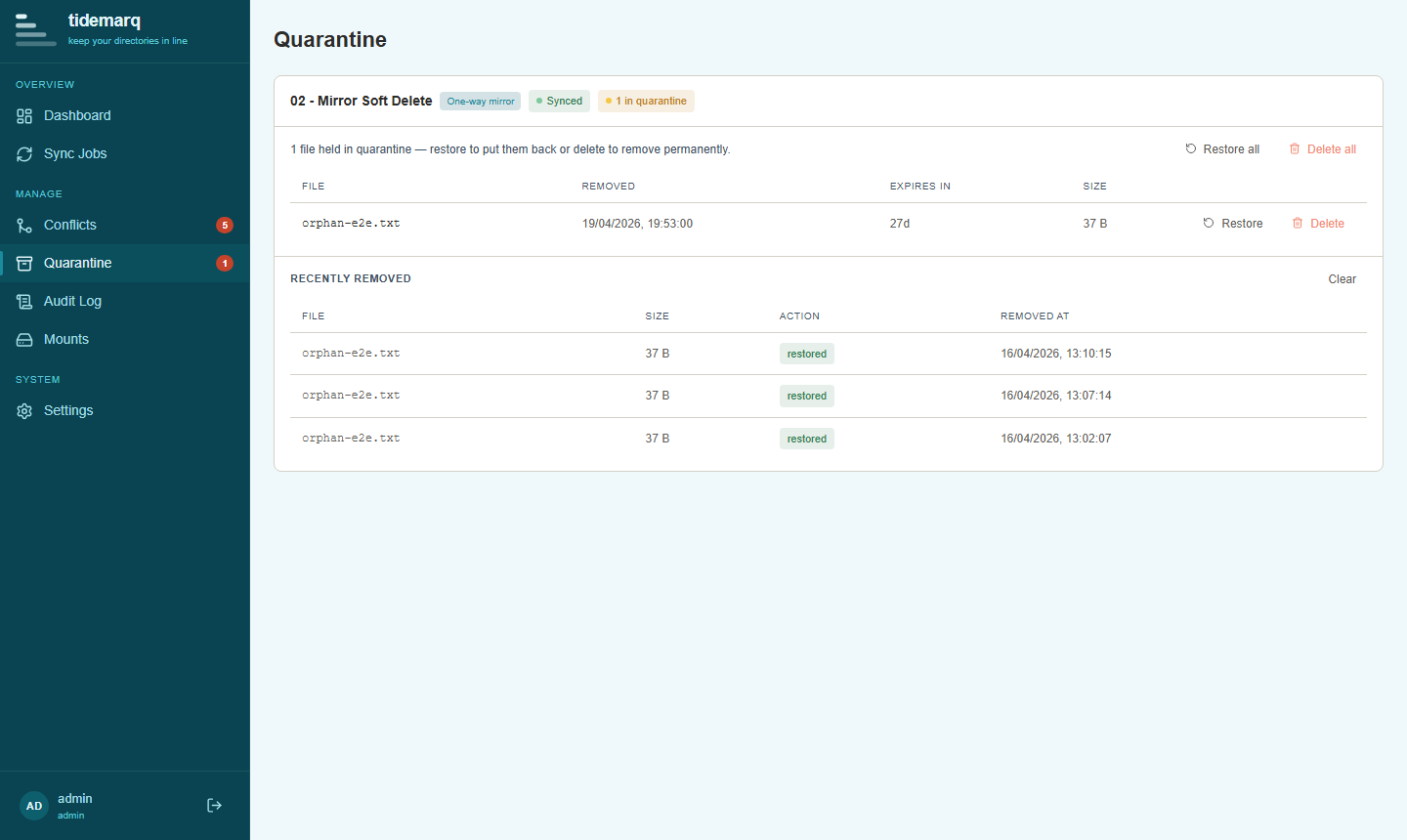
Quarantined files are tracked in the database and visible in the
Quarantine view, where they can be restored or permanently deleted.
Retention is controlled by retention.quarantine_days (default: 30).
tidemarq never permanently deletes a file from the destination without first moving it to quarantine. Hard deletion from the destination filesystem is never performed directly by the sync engine.
Storage considerations
Version snapshots and quarantine entries consume space in the data directory and at
the destination respectively. Size depends on your file change rate and retention
settings. Monitor disk usage and adjust retention.*_days values accordingly.