tidemarq
Self-hosted  ·  Open source  ·  Docker Compose

keep your directories
in line.

tidemarq runs entirely on your own hardware. No cloud account, no remote agents, no proprietary folder structure — just a clean web UI and complete control of your files.
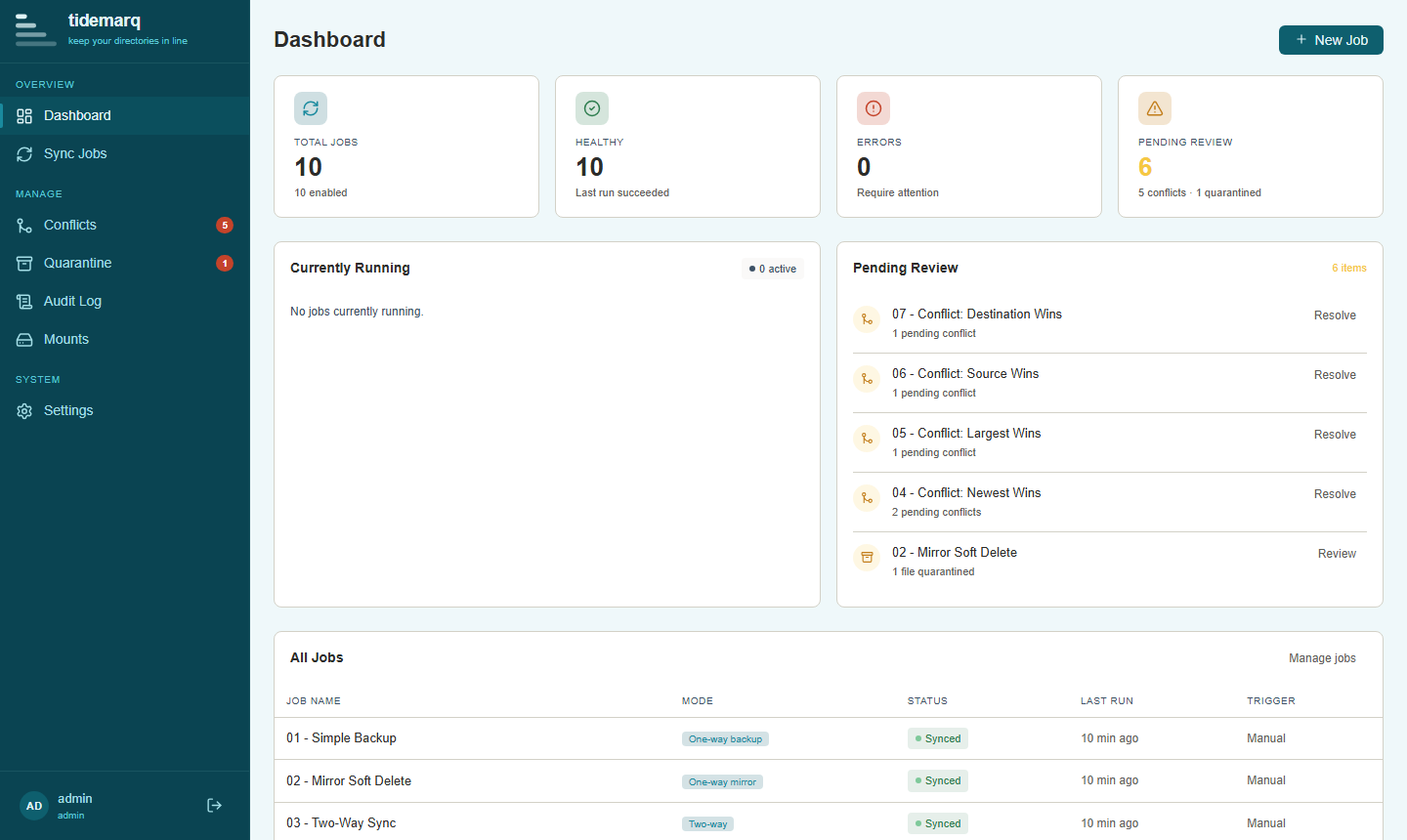
https://localhost:8717
tidemarq dashboard showing sync job status, recent activity, and statistics

Keeping your directories synced has never been easier.

Built to handle the full range of directory sync scenarios — from simple scheduled backups to live bidirectional replication with conflict management.

Three sync modes

One-way backup preserves everything at the destination. One-way mirror reflects the source exactly, moving deleted files to quarantine. Two-way sync propagates changes in both directions.

Conflict resolution

When the same file changes on both sides, tidemarq detects it. Resolve automatically with strategies like newest-wins or source-wins — or route each conflict to the manual review queue in the UI.

Version history

Before every overwrite, tidemarq snapshots the existing file. Browse the full history per file from the web UI and restore any previous version in one click, with configurable retention.

Network mounts

Connect to SMB shares and SFTP servers as source or destination. Credentials are stored encrypted at rest using AES-256-GCM — no plaintext in config files. Connectivity can be tested from the Mounts UI before use.

Audit log

Every sync event, user action, and error is written to an append-only audit log. Search and filter by job, event type, or date range directly in the UI. Export as CSV or JSON at any time.

Delta transfer

Rolling Adler-32 checksums combined with BLAKE3 strong hashing mean only changed byte regions are written — not whole files. Local syncs are fast even for large files, with automatic fallback to full streaming for network mounts.

Built to be predictable, transparent, and under your control.

No agents on the destination

tidemarq connects to destinations over standard protocols — SMB and SFTP. There is no software to install on the remote side and no persistent daemon to maintain. If you can reach a share or an SSH endpoint, you can sync to it.

Files land exactly where you expect

There are no hidden metadata directories scattered across your storage, no index databases living alongside your files. tidemarq keeps its own state in a single data directory. Your file trees stay clean and readable by any other tool.

Nothing leaves your network

There are no cloud services, no telemetry, and no registration step. tidemarq makes zero outbound connections except to the mount targets you explicitly configure. Your file names, paths, and contents never leave your infrastructure.

One command to run

docker compose up starts the full stack. TLS certificates and admin credentials are auto-generated on first start. There is no separate install step, no certificate authority to configure, and no manual database initialisation.

Running in minutes.

tidemarq is distributed as a Docker Compose stack. There's no package to install and no database to set up manually.

1

Grab the Compose file

Copy docker-compose.yml from the repository into a new directory

2

Start the stack

Run docker compose up — the image is pulled, the TLS cert is generated, and the admin account is seeded automatically

3

Log in and secure the account

Browse to https://localhost:8717, sign in as admin / admin123, then change the password via Settings → Users

docker-compose.yml (excerpt)
services:
  tidemarq:
    image: ghcr.io/puckrin/tidemarq:latest
    ports:
      - "8716:8716"   # HTTP → redirects to HTTPS
      - "8717:8717"   # HTTPS — main UI and API
    volumes:
      - ./data:/data  # persistent state
Read the full install guide