Conflicts
A conflict occurs in two-way sync when the same file has been modified on both sides since the last successful sync. tidemarq detects conflicts before writing and either resolves them automatically or queues them for manual review.
How conflict detection works
After each sync, tidemarq records the hash of every file that was successfully synchronised. On the next run it compares:
- The current source hash
- The current destination hash
- The last-synced hash stored in the manifest
If both the source and destination hashes differ from the last-synced hash, the file is flagged as a conflict. A change on one side only is not a conflict — it is a normal update that propagates.
Conflict resolution strategies
Each job has a configured conflict strategy. You can change it at any time from the job's settings.
| Strategy | Behaviour |
|---|---|
ask-user | The destination copy is renamed with a .conflict.<timestamp> suffix and the conflict is queued for manual review. The source version is written to the destination. |
newest-wins | The file with the more recent last-modified timestamp is kept and written to both sides. |
largest-wins | The larger file by byte size is kept. Useful for append-only logs or growing datasets. |
source-wins | The source version always overwrites the destination. Predictable for one-authoritative-side scenarios. |
destination-wins | The destination version always overwrites the source. |
The conflict queue
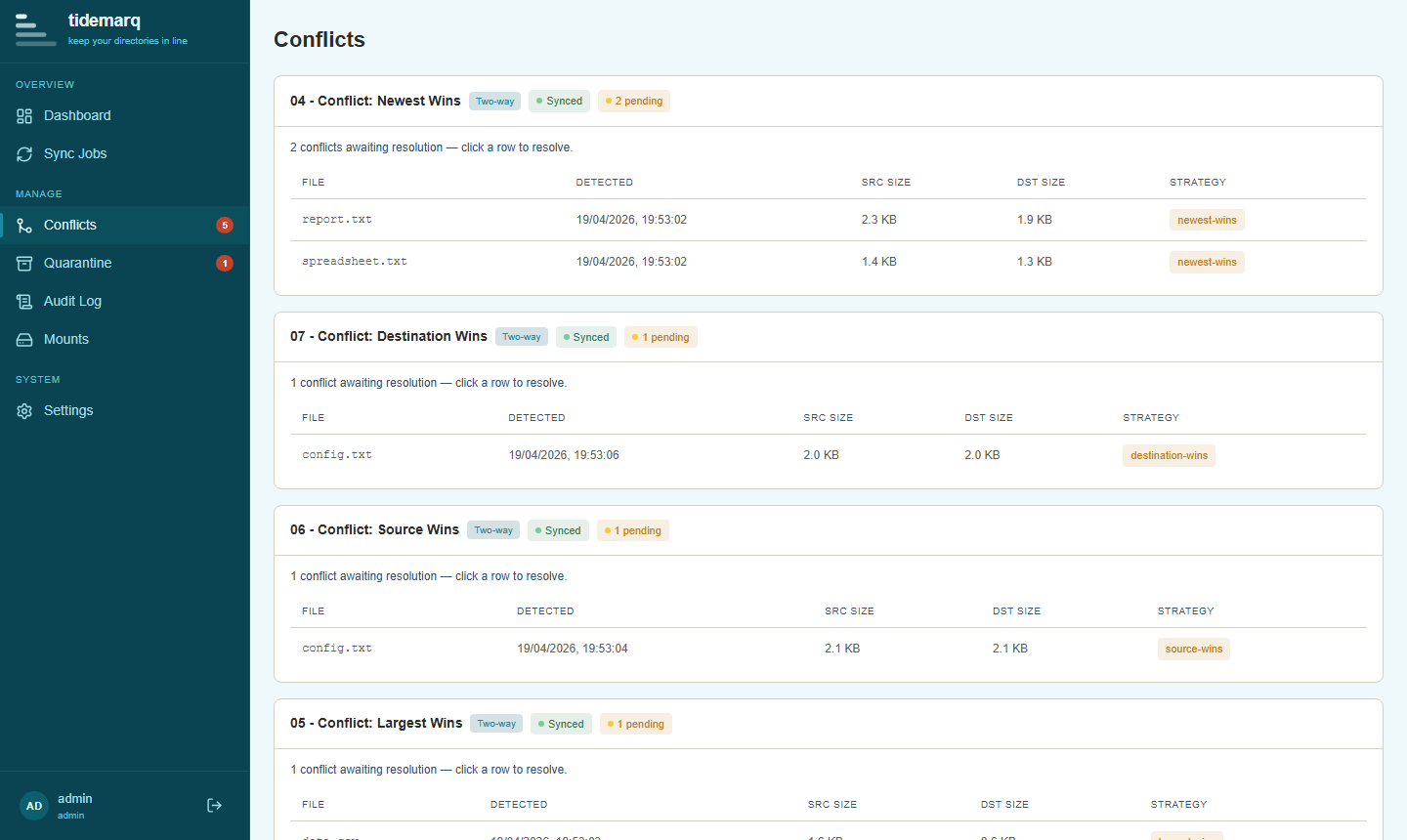
When the strategy is ask-user, unresolved conflicts appear in the
Conflicts view. Each entry shows the file path, the job it came from,
and a side-by-side comparison of the source and destination versions.
Resolving a conflict manually
From the Conflicts view, for each queued conflict you can:
- Keep source — overwrite the destination with the source version; discard the
.conflict.*copy - Keep destination — overwrite the source with the destination version
- Keep both — leave the
.conflict.*file alongside the source version; the conflict is marked resolved without discarding either copy
The .conflict.<timestamp> file is a full copy of the destination
version at the time the conflict was detected — it is not lost regardless of which
resolution action you choose.
Conflicts and version history
When a conflict is resolved by overwriting a file, the previous version is snapshotted to version history before the write, just like any other overwrite. See Version History if you need to recover a pre-resolution state.