Audit Log
tidemarq records every significant action to an append-only audit log — sync events, user actions, errors, and system events. The log is searchable and filterable from the UI and exportable as CSV or JSON.
What is logged
| Event type | Examples |
|---|---|
sync | Job started, file transferred, job completed, job failed |
user | Login, logout, user created, password changed |
system | Server started, migration applied, TLS certificate generated |
error | Transfer error, hash mismatch, mount connection failed |
The Audit Log view
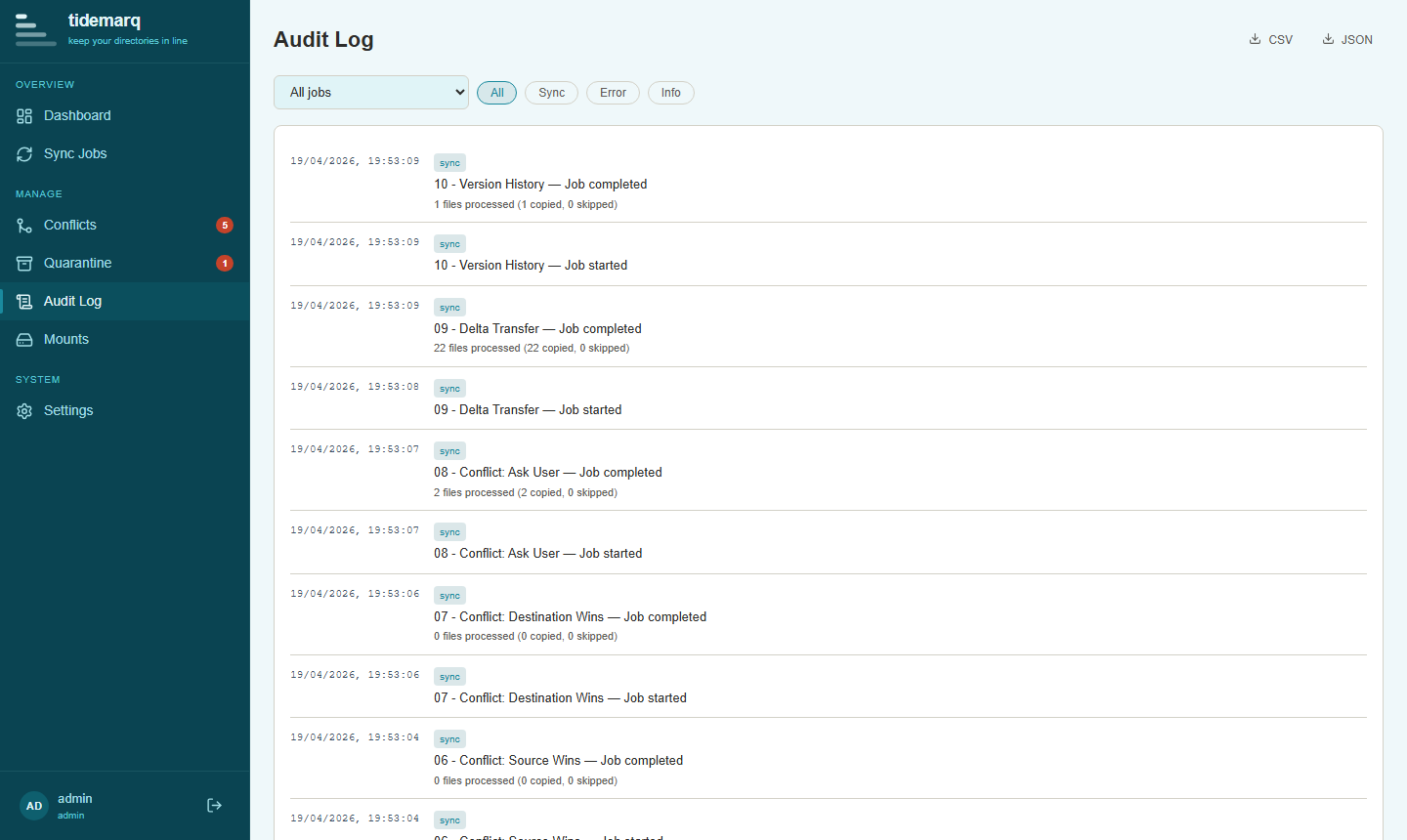
Navigate to Audit Log in the sidebar. Entries are displayed newest first with a timestamp, event type badge, job reference (where applicable), and a description.
Filtering
Use the filter bar at the top of the Audit Log view to narrow results:
- Job — show events for a specific sync job
- Event type — filter to
sync,user,system, orerror - Date range — set start and end dates
Filters can be combined. Results update as you type.
Exporting
Click Export CSV or Export JSON to download the currently filtered set of audit entries. Exports respect the active filters — to export everything, clear all filters first.
CSV format
Columns: id, timestamp, event_type, job_id, job_name, description, actor
JSON format
An array of objects with the same fields as the CSV, plus any structured metadata attached to the event.
Retention
Audit log entries are retained for the number of days set in
retention.audit_log_retention_days (default: 90). A daily sweep at
midnight prunes entries older than the configured limit. Retention is configured
in Settings → General alongside quarantine and version history
retention, or in tidemarq.yaml:
retention:
  audit_log_retention_days: 90
The audit log is append-only and cannot be edited or deleted from the UI. Export entries before they age out of the retention window if you need a permanent record.
API access
Audit log entries are available via the REST API at
GET /api/v1/audit. Query parameters mirror the UI filters:
job_id, event_type, from, to.
CSV and JSON export are at /api/v1/audit/export.csv and
/api/v1/audit/export.json respectively. All endpoints require a valid JWT.